
For job seekers
Getting started: account and profile
Create a free account and fill in your profile, so you can apply for jobs in one click.
How to do it
Create an account
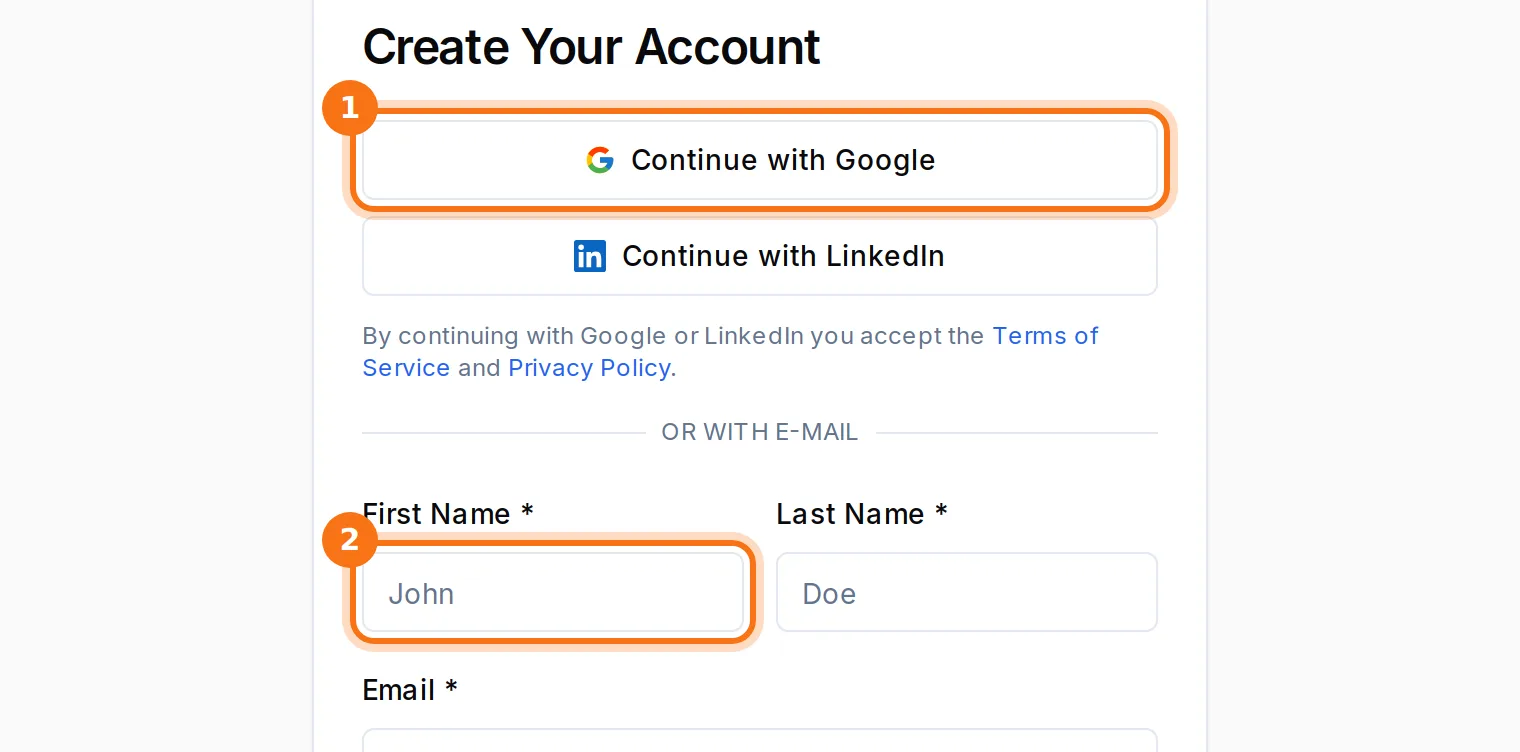
Click “Sign Up” in the top right corner. Continue with Google or LinkedIn, or fill in your name, e-mail and a password. With e-mail you get a message – click the link in it to confirm your account.

Upload your CV
Go to My profile and upload your CV as a PDF (max 5 MB). You can keep up to three CVs and choose which one is your main CV.
Let AI fill in your profile
When you upload a CV you can choose “Yes, fill in my profile”. Your skills, work experience and a short introduction are then added automatically. Always check the result.
Complete your profile
Click “Edit Profile” for phone, town, experience level and introduction, and “Manage Skills” for your skills. The more you fill in, the better job suggestions you get.
Choose whether employers can find you
Turn on “Let employers find me” in your profile if you want approved employers to be able to see your profile. You can turn it off at any time.
Good to know
- Your dashboard shows what is missing from your profile under “Next steps”.
More guides
Can't find the answer?
Write to us and we'll help you. We normally reply within 24–48 hours on weekdays.